
Nicad batteries, known as nickel-cadmium batteries, have powered everything from cordless drills to RC cars for decades. While their popularity has dropped due to newer battery types, many people still use them because they are tough and reliable. But over time, Nicad batteries lose power and don’t hold a charge as well. If you have an old Nicad battery that seems dead, don’t throw it away yet. With the right knowledge and care, you can often recondition a Nicad battery and bring it back to life. This guide will show you how, step by step, and explain why it works.
Understanding Nicad Batteries
Before you start, it helps to know how these batteries work. Nicad stands for nickel-cadmium, which are the main chemicals inside the battery. Each cell produces 1.2 volts. Most battery packs, like those in power tools, have several cells linked together.
A key problem with Nicad batteries is the memory effect. If you don’t fully discharge and then recharge them, they “remember” the smaller range and lose capacity. Another issue is crystal formation inside the cells, which blocks the flow of electricity.
Safety First: Precautions And Tools
Nicad batteries contain toxic chemicals and can be dangerous if handled wrong. The U.S. CPSC notes battery hazards can include overheating, fire, electrical shock, burns, electrolyte exposure, and ejected internal components. Always follow these safety tips:
- Wear gloves and safety glasses.
- Work in a ventilated area.
- Never open a battery pack unless you understand the risks.
- Keep the batteries away from flames and children.
To recondition a Nicad battery, you’ll need:
- `r`n`r`n
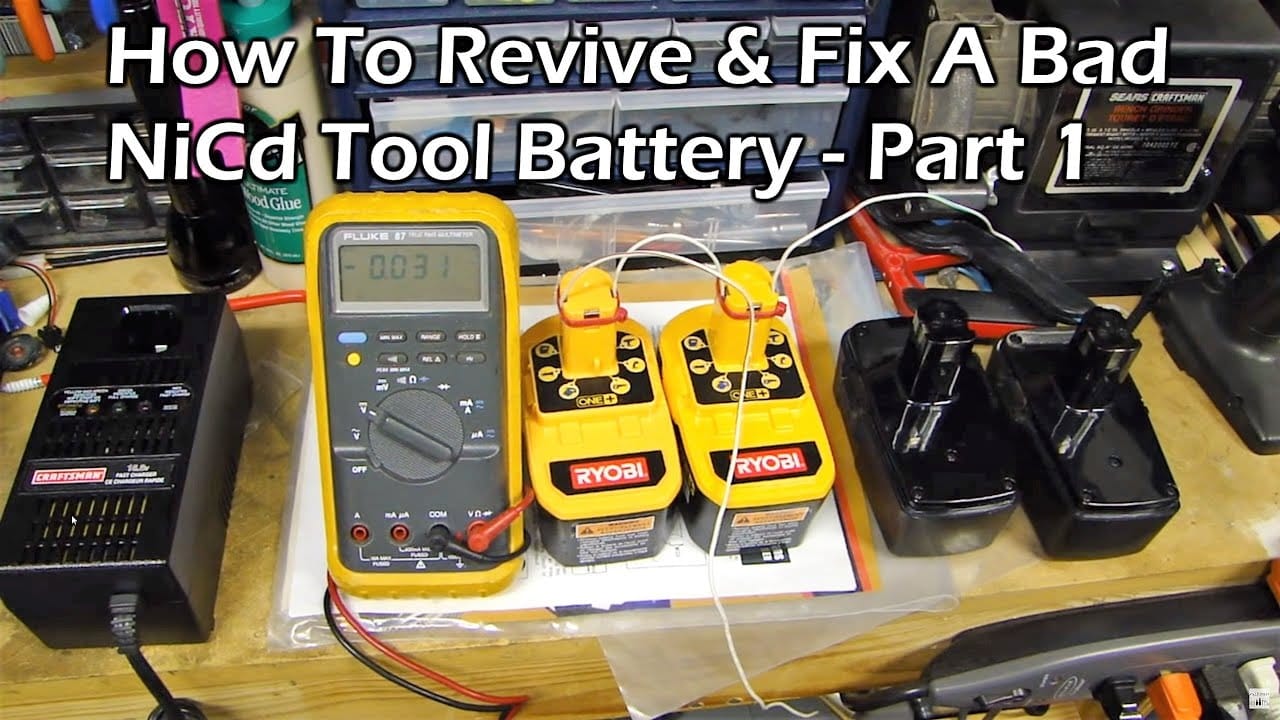
- A voltmeter or multimeter for checking external terminals `r`n`r`n`r`n
- The correct charger for your Nicad battery pack `r`n`r`n`r`n
- A dry cloth or rubber eraser for cleaning outside contacts `r`n`r`n`r`n
- Non-conductive tape for terminal protection before recycling `r`n`r`n`r`n
- Protective gloves and safety glasses `r`n
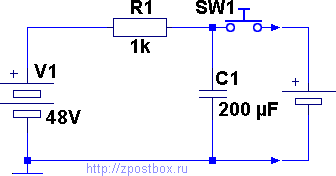
Avoid car chargers, jump-start cables, loose wires, and homemade shock methods. Consumer battery packs should be handled as complete packs unless the manufacturer says otherwise.
Credit: zpostbox.ru
Signs Your Nicad Battery Needs Reconditioning
How do you know if your battery needs help? Look for these signs:
- Battery won’t hold a charge – It charges quickly, but loses power just as fast.
- Short run time – Devices powered by the battery die quickly.
- Charger shows full, but battery is weak.
- Visible corrosion or dirt on contacts.
If your battery is leaking, swollen, unusually hot, cracked, or smells bad, do not try to repair it. Tape the terminals, keep it away from heat and metal objects, and take it to a rechargeable battery recycling location or household hazardous waste program.
Step-by-step: Safer Ways To Condition A Nicad Battery
You can sometimes improve an older Nicad pack with normal discharge and recharge cycles, but avoid opening the pack or forcing current into individual cells. Batteries can still store enough energy to injure you or start a fire, even when they seem dead.
1. Inspect The Battery First
- Check the case, seams, terminals, and label before charging.
- Stop immediately if you see swelling, leaks, cracks, melted plastic, corrosion from inside the pack, or smell a chemical odor.
- Do not open a sealed power-tool battery pack unless the manufacturer service instructions specifically say it is user-serviceable.
2. Clean The External Contacts
Dirty contacts can make a good battery act weak. With the battery removed from the tool and charger, gently clean only the outside metal contacts with a dry cloth or rubber eraser. Do not scrape into the case or touch hidden internal parts.
3. Use Only The Correct Nicad Charger
- Use the charger made for that battery chemistry and pack voltage.
- Do not use a lithium charger, car battery, jump-start cable, bench power supply, or homemade battery shock method.
- Charge on a non-flammable surface and unplug the charger if the battery becomes unusually hot, leaks, smokes, or smells bad.
4. Run Normal Charge And Use Cycles
Charge the pack fully in its proper charger, then use it in the tool until normal performance drops. Let the pack cool before charging again. Two or three normal cycles may recover some runtime, but it will not repair a damaged cell.
5. Test Pack Performance
After cycling, compare runtime in the tool and check the pack voltage only at the external terminals if you know how to use a multimeter safely. If the pack still dies quickly, heats up, or will not charge normally, replace or recycle it instead of trying more aggressive repair methods.
Common Mistakes When Reconditioning Nicad Batteries
Many first-timers make errors that can ruin a battery or make it unsafe. Watch out for these mistakes:
- Skipping the full discharge step. This keeps the memory effect locked in.
- Using the wrong charger (like one for lithium batteries).
- Trying to force current into cells with a car battery, loose wires, or homemade repair setup. This can cause overheating, leaks, shock, or fire.
- Ignoring bad smells or leaks. These are signs of serious damage.
- Forgetting to check cell balance. One bad cell can drag down the whole pack.
Data: Nicad Vs. Newer Battery Types
How do Nicad batteries compare with newer types like NiMH and Li-ion? Here is a quick comparison:
| Feature | Nicad | NiMH | Li-ion |
|---|---|---|---|
| Memory Effect | Yes | Minimal | No |
| Cycle Life | 1000+ | 500–1000 | 500–1000 |
| Self-Discharge Rate | High | Medium | Low |
| Cost | Low | Medium | High |
| Environmental Hazard | High (cadmium) | Medium | Low |
Nicad batteries are tough, but they contain cadmium and need careful end-of-life handling. Safe conditioning means using the correct charger and normal tool use, not opening the pack or forcing current into cells.
Real-world Example: Checking An Old Power Tool Battery
Suppose an old cordless drill battery only runs for a few minutes. A safer first check is to inspect the case, clean the external contacts, charge it with the correct Nicad charger, let it cool, and run one or two normal use cycles in the tool.
If runtime does not improve, or if the pack gets hot, leaks, smells bad, or will not charge normally, retire it. Replacing or recycling the pack is safer than opening it or trying a high-current shock method.
Tips For Long-term Battery Care
To keep your Nicad batteries working longer after reconditioning:
- Always fully discharge and charge them. Avoid short charges.
- Store in a cool, dry place.
- If not used for months, cycle them every 1-2 months.
- Clean contacts before storage.
- Never let batteries freeze or overheat.
Non-obvious tip: Store your Nicad battery at about 40% charge if you won’t use it for a long time. This reduces stress on the cells and slows aging.
Credit: www.youtube.com
When To Replace Instead Of Recondition
Sometimes, a Nicad battery is too far gone. Replace it if:
- It leaks or is swollen.
- The pack still dies quickly after normal charge-and-use cycles.
- The case is cracked or damaged.
- The battery smells bad, even after cleaning.
Don’t risk your safety or your devices. Newer battery packs can be more cost-effective in the long run.
Environmental And Legal Considerations
Cadmium can harm people and the environment if batteries are mismanaged. The U.S. EPA battery guidance says rechargeable batteries such as Ni-Cd should go to specialized battery recyclers, participating takeback retailers, or household hazardous waste programs, not regular trash or municipal recycling bins.
Before recycling, cover the terminals with non-conductive tape or place the battery in a separate plastic bag. If a battery is damaged, handle it carefully and contact the battery or tool manufacturer for specific instructions.
Quick Reference: Reconditioning Steps Summary
Here’s a summary of the key steps for quick review:
- Discharge fully
- Check voltage of each cell
- Use only normal charger and tool cycles
- Recharge fully
- Cycle 3-5 times
- Clean contacts
- Test in device
Troubleshooting: Why Didn’t My Battery Recover?
If your Nicad battery still won’t work after reconditioning, check these possible reasons:
| Problem | Possible Cause | Solution |
|---|---|---|
| No voltage | Broken internal connection | `r`nReplace or recycle the pack |
| Still low capacity | Bad or aged cells inside the pack | `r`nReplace or recycle the pack |
| Heats up quickly | Internal short circuit | Dispose safely |
| Won’t charge | Wrong charger or charger fault | Check charger |
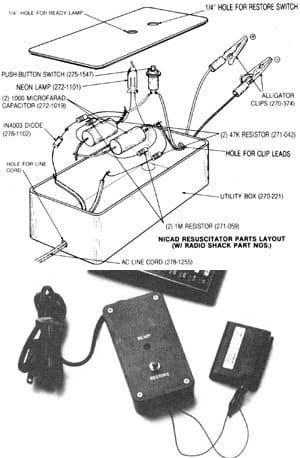
Sometimes, even after your best effort, a battery cannot be revived. In these cases, recycling is the best choice.
Credit: www.motherearthnews.com
Frequently Asked Questions
What Is The Memory Effect In Nicad Batteries?
The memory effect is when a Nicad battery “remembers” a lower capacity if you only partially discharge it before recharging. Over time, this reduces the total energy it can hold. Full discharges help avoid this problem.
Is It Safe To Shock A Nicad Battery With A Car Battery?
No. Do not use a car battery, jump-start cable, loose wires, or homemade high-current method on a Nicad pack. The safer approach is to use the correct charger, clean the external contacts, run normal charge-and-use cycles, and replace or recycle a pack that still fails.
How Often Should I Recondition My Nicad Battery?
You should only need to recondition a Nicad battery when you notice a drop in performance or shorter run times. Regular deep discharge and recharge cycles help prevent problems.
Can I Use A Lithium Charger For Nicad Batteries?
No, you should never use a lithium charger with Nicad batteries. The charging methods and voltages are different, and using the wrong charger can be dangerous.
What Should I Do With A Nicad Battery That Cannot Be Reconditioned?
If your Nicad battery is leaking, damaged, or won’t recover after several attempts, it’s best to recycle it at a proper facility. Never throw it in the regular trash.
Some older Nicad batteries improve after careful normal cycling, but damaged or deeply worn packs should be replaced and recycled. Safety matters more than squeezing one more use from a questionable battery.