
Reviving A Dead Lithium Battery: Complete Guide
When a lithium battery—like those found in smartphones, laptops, or power tools—stops working, it can feel like you have no options except replacement. But before you throw it away, it’s worth trying to bring it back to life. Sometimes, a “dead” lithium battery is not truly dead but is deeply discharged, meaning its voltage has dropped below the safe range, and most chargers won’t recognize it.
Reviving such a battery is possible in many cases, but it requires care, the right tools, and strict safety steps.
This guide explains how to revive a dead lithium battery step by step. You’ll learn how to diagnose the problem, what tools are needed, and what methods work best. We’ll also cover safety and common mistakes, so you avoid damaging your battery or risking injury.
Understanding Lithium Batteries
Lithium-ion batteries are popular because they store a lot of energy, charge quickly, and last longer than older battery types. However, they’re sensitive to being over-discharged (drained too much), which can make them appear dead to regular chargers.
Why Lithium Batteries “die”
A lithium battery is considered “dead” if its voltage falls below about 2. 5 volts per cell. Most chargers won’t start charging such batteries for safety. Sometimes, the battery’s protection circuit has tripped, or the battery is actually damaged. Knowing the difference is key before you try to revive it.
Real Dangers
Lithium batteries can be dangerous if handled incorrectly. Overcharging, short-circuiting, or damaging the battery may cause fire or explosion. Always follow safety guidelines and never try to revive a swollen, leaking, or physically damaged battery.
Diagnosing A Dead Lithium Battery
Before trying to revive a battery, check if it is really dead or just deeply discharged.
- Visual Inspection: Look for swelling, leaks, or damage. If you see any, don’t proceed. Dispose of the battery safely.
- Measure Voltage: Use a digital multimeter. For a single 3.7V cell, anything below 2.5V is considered deeply discharged.
- Check Charger Recognition: Plug the battery into the original charger. If the charger light stays off or flashes, the battery is likely too discharged for automatic charging.
If the battery passes these checks (no physical damage, voltage above 1. 5V), you can try to revive it.
Tools And Materials Needed
To safely attempt revival, gather:
- Digital multimeter (to check voltage)
- Original charger (for your battery)
- Constant current/constant voltage power supply (optional, but helps for manual charging)
- Safety glasses and gloves (for protection)
- Fireproof surface (like a metal tray)
- Insulated alligator clip wires (if using a power supply)
- Timer or stopwatch
Never use a charger or power supply that is not designed for lithium batteries.
Safety First: Precautions You Must Take
- Work in a well-ventilated area, away from flammable materials.
- Keep a fire extinguisher rated for electrical fires nearby.
- Never leave the battery unattended while charging.
- Stop immediately if the battery gets hot, swells, or leaks.
Important: If you’re unsure or uncomfortable, do not attempt this process. Safety comes first.
Credit: www.ufinebattery.com
Step-by-step Guide To Revive A Dead Lithium Battery
1. Confirm Battery Type
Not all lithium batteries are the same. Check the label for the chemistry: most consumer batteries are Lithium-ion (Li-ion) or Lithium Polymer (LiPo), both of which follow similar revival steps.
2. Manually Pre-charge With Low Current
Most chargers will not start charging a battery below 2. 5V. To “wake up” the battery, you can manually apply a small current (about 0. 01C to 0. 05C, where C is the battery’s capacity).
Example:
For a 2000mAh battery, use 20–100mA (0. 02–0. 1A).
Steps:
- Set your power supply to the battery’s rated voltage (usually 3.7V for a single cell).
- Set the current to the lowest possible (20–100mA).
- Connect the battery with correct polarity (red to +, black to –).
- Start charging and monitor the voltage with your multimeter.
3. Monitor Voltage Rise
Let the battery charge for 10–15 minutes or until the voltage rises above 2. 8–3. 0V. If the voltage does not rise after 15 minutes, stop—your battery is likely damaged beyond repair.
4. Switch To Normal Charger
Once the voltage is above 2. 8–3. 0V, disconnect the manual power supply. Now plug the battery into its original charger. If it begins charging normally, let it complete the cycle.
5. Observe For Abnormalities
While charging, watch for heat, swelling, or unusual smells. If any of these occur, unplug immediately and move the battery to a safe location.
6. Full Charge And Test
After a full charge, check the battery voltage (should be about 4. 2V for most lithium cells). Let the battery rest for an hour, then measure again. If voltage drops quickly, the battery is weak and should not be used for critical devices.
Common Mistakes To Avoid
Many first-timers make errors that can damage the battery or create safety risks:
- Using a high current for pre-charging (can cause overheating or fire)
- Trying to revive a swollen or damaged battery
- Leaving the battery unattended during revival
- Mixing up polarity (can destroy the battery instantly)
- Ignoring voltage limits
Credit: www.youtube.com
Data Table: Typical Lithium Battery Voltage Ranges
Understanding the voltage stages helps you know when to revive and when to give up.
| State | Voltage (per cell) | Condition |
|---|---|---|
| Fully Charged | ~4.2V | Ready for use |
| Normal Discharge | 3.7V–3.0V | Safe range |
| Deep Discharge | 2.5V–3.0V | Needs immediate charging |
| Dead/Over-Discharged | <2.5V | May need revival process |
How To Tell If The Battery Is Beyond Revival
Some batteries are truly dead due to internal damage (cell failure, corrosion, etc.). Here’s how you can tell:
- No voltage rise during manual pre-charge
- Battery gets hot quickly when charging
- Swelling or leaks
- Voltage drops rapidly after charging
If you see any of these, do not use the battery. Dispose of it safely according to local regulations.
Alternative Methods For Reviving Lithium Batteries
Sometimes, you don’t have a bench power supply. Here are other methods, but use them only as a last resort.
Parallel Charging (advanced Users Only)
This means connecting the dead battery in parallel with a fully charged battery of the same type and capacity. Current flows from the good battery to the dead one, raising its voltage.
Warning: This method is risky. A sudden surge of current can cause heat or fire. Only experts should attempt this, and always under supervision.
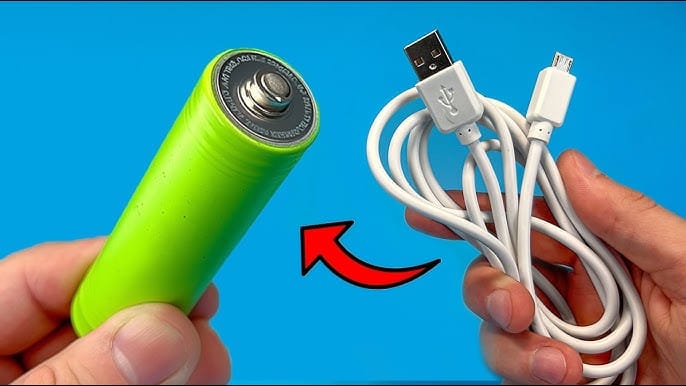
Using A Usb Charger Hack
Some people use a USB cable to trickle charge a lithium battery. Cut the USB cable, connect red to battery + and black to –, and plug into a power bank. Only use this for batteries above 2. 0V and for a few minutes (never unattended).
This is not recommended for safety reasons, but it can work for small electronics.
Table: Comparison Of Revival Methods
Here’s a quick look at different revival methods and their risk levels.
| Method | Tools Needed | Risk Level | Success Rate |
|---|---|---|---|
| Manual Pre-Charge (Power Supply) | Multimeter, Power Supply | Low | High |
| Parallel Charging | 2 Batteries, Wires | High | Medium |
| USB Charger Hack | USB Cable, Power Bank | Medium | Low |
Maximizing Battery Life After Revival
Reviving a battery is not always a permanent fix. To keep your battery healthy:
- Avoid deep discharges—recharge before the device shuts down.
- Store partially charged—for long-term storage, keep at 40–60% charge.
- Keep cool—high temperature shortens battery life.
- Check voltage regularly if not used for months.
- Don’t overcharge—unplug when full.
Real-world Example
A common scenario: a phone left unused for several months no longer powers on, and the charger doesn’t help. Measuring the battery shows 2.2V. Following the manual pre-charge method, the voltage rises to 3.1V after 15 minutes. Reconnecting to the original charger, the battery charges to full and the phone works again. While the battery may not last as long as before, it’s usable for non-critical tasks.
Two Insights Most People Miss
- Not All “Dead” Batteries Are Revivable: If your battery has been under 2.5V for weeks or months, chemical changes inside may make revival unsafe or impossible. Time is critical—try to revive soon after deep discharge.
- Capacity Loss Is Inevitable: Even if you revive a lithium battery, its maximum charge will likely be lower. Expect shorter run times and, in some cases, unpredictable performance.
Table: Signs Of Unsafe Lithium Batteries
For your safety, use this quick reference before every revival attempt.
| Sign | What to Do |
|---|---|
| Swelling | Do not revive; dispose safely |
| Leaking electrolyte | Do not revive; wear gloves, dispose |
| Physical damage | Do not revive; safe disposal only |
| Strong smell or smoke | Evacuate area, do not use |
When To Give Up And Buy A New Battery
If the battery fails revival, gets hot, leaks, or never holds a charge, it’s time for a replacement. Using a failing battery can damage your device or put you at risk. Always buy replacements from trusted brands and follow disposal rules for lithium batteries.
For more details on lithium battery safety and chemistry, check this Wikipedia page on Lithium-ion batteries.
Frequently Asked Questions
Can I Revive A Swollen Lithium Battery?
No. Swelling means internal damage and risk of fire or explosion. Do not try to revive or use a swollen battery. Dispose of it safely.
Is It Safe To Put A Dead Lithium Battery In The Freezer?
No. Freezing does not revive lithium batteries and can cause condensation, leading to short circuits. This myth is not supported by battery experts.
How Many Times Can I Revive A Lithium Battery?
Usually, you can only revive a battery once or twice. Each deep discharge harms the battery, and after revival, its capacity is often much lower.
Why Does My Battery Die Again Soon After Revival?
After deep discharge, the battery’s chemistry is damaged. It may not hold charge well and can lose power quickly. This is normal—revival is only a temporary fix.
Can I Use A Car Battery Charger To Revive A Lithium Battery?
No. Car battery chargers are designed for lead-acid batteries, not lithium cells. The voltage and current are too high and can destroy the lithium battery or cause it to catch fire.
Reviving a dead lithium battery is sometimes possible, but safety must always be your top concern. If you’re unsure, seek help from a professional or consider replacing the battery. Use these steps carefully, and you may be able to bring your battery back to life for a bit longer.
Credit: www.tycorun.com