
A dead power tool battery can ruin your work plans. You reach for your drill, only to find the battery won’t charge—or worse, it shows “fully charged” but barely works. This problem is common with cordless tools, and it’s frustrating for both DIY users and professionals. But before you buy a new battery or tool, know that most battery charging issues can be fixed at home with a little patience and know-how. If the problem is specifically a cordless drill pack, use our cordless drill battery not charging guide for drill-focused diagnosis. In this article, you’ll learn how to diagnose and repair a power tool battery not charging, understand the main causes, and get practical solutions for different battery types. Plus, you’ll discover essential tips to avoid making the problem worse.
Why Power Tool Batteries Stop Charging
Power tool batteries can fail for many reasons. The most common causes include:
- Dirty or corroded contacts
- Battery cell imbalance
- Over-discharge
- Age and wear
- Charger failure
Each cause has its own warning signs. For example, dirty contacts might show as a battery that fits loosely or has to be wiggled to charge. Cell imbalance often triggers the charger’s “fault” light. Over-discharged batteries may not be recognized by the charger at all.
Many users don’t realize that battery electronics often “lock” the battery for safety when an error is detected. Sometimes, the battery itself is fine, but the charger or even the tool is at fault. Understanding these basics will help you fix the problem faster and avoid wasting money.
Safety First: What You Need To Know
Before you try any fix, safety should come first. Power tool batteries—especially lithium-ion—can be dangerous if handled incorrectly. Always:
- Work in a well-ventilated area.
- Wear gloves and safety glasses.
- Never open a swollen or leaking battery.
- Use only recommended chargers for your battery type.
If you notice any strange smells, heat, or swelling, stop immediately. Dispose of the battery according to local rules. Never put damaged batteries in household trash.
Credit: www.laborkreis.de
Diagnosing The Problem
Fixing a power tool battery not charging starts with proper diagnosis. Here’s how to check what’s wrong:
Step 1: Check The Charger
Use a multimeter to test the charger’s output voltage. Compare it with the label rating. If the charger shows no output or much lower voltage, replace the charger.
Step 2: Inspect Battery Contacts
Look for dirt, dust, or corrosion on both the battery and charger contacts. Clean them with a cotton swab and a bit of isopropyl alcohol. Even a thin layer of grime can block charging.
Step 3: Try The Battery In A Different Tool Or Charger
If possible, test the battery with another compatible tool or charger. If it works, your original charger or tool may be the problem.
Step 4: Look For Error Indicators
Many chargers have indicator lights. A blinking red light can mean low voltage, while a solid green with no charging may mean the battery is not recognized. Check your charger’s manual for what the lights mean.
Common Fixes By Battery Type
Different battery chemistries need different repair methods. Here’s how to fix the most common types: NiCd, NiMH, and Lithium-ion.
Fixing Nicd (nickel Cadmium) Batteries
NiCd batteries are durable but can suffer from “memory effect” and cell imbalance.
- Memory effect means the battery “remembers” a lower capacity if not fully discharged before recharging.
- Cell imbalance causes some cells to become overcharged and others undercharged.
How To Fix:
- Deep Discharge and Recharge
- Run the tool until the battery is completely drained.
- Recharge fully.
- Repeat 2–3 times. This can restore some lost capacity.
- Jump Start with a Second Battery
- Connect a charged battery (of the same voltage) in parallel for a few seconds using wires.
- This can “wake up” a battery so the charger recognizes it.
- Check for Dead Cells
- If the battery still won’t hold a charge, one or more internal cells may be dead.
- Replacing individual cells is possible but requires soldering skills and safety care.
Fixing Nimh (nickel Metal Hydride) Batteries
NiMH batteries have less memory effect but can still suffer from cell imbalance and over-discharge.
How To Fix:
- Balance Charge
- Some smart chargers have a “recondition” or “balance” mode. Use this to equalize cell voltages.
- Boost with a Charger
- If the battery won’t start charging, briefly apply a higher voltage (1–2V above battery rating) using a bench power supply. Limit current to avoid overheating.
- Regular Use
- Use and recharge NiMH batteries regularly to keep them healthy.
Fixing Lithium-ion (li-ion) Batteries
Lithium-ion batteries are light, powerful, and have no memory effect. But they are sensitive to over-discharge and temperature.
How To Fix:
- Check for Deep Discharge
- If the battery voltage drops below a safe level, the protection circuit locks it.
- Try “waking up” by briefly applying a charging voltage directly to the terminals (with extreme caution).
- Use a Smart Charger
- Many chargers have a recovery or “refresh” mode for deeply discharged batteries.
- Replace Protection Circuit
- If the battery charges briefly then stops, the protection circuit may be faulty. Replacing this requires electronics knowledge.
- Never Bypass Safety
- Don’t bypass the protection circuit or charge a clearly damaged battery—risk of fire or explosion.
Credit: everestkitchennc.com
Step-by-step Fixes For A Power Tool Battery Not Charging
Here’s a practical guide to solving the most common charging problems.
1. Cleaning Battery And Charger Contacts
Dirty contacts are a top cause of failed charging. You’ll need:
- Cotton swabs
- Isopropyl alcohol (at least 70%)
- Small brush
Steps:
- Unplug the charger and remove the battery.
- Dip the swab in alcohol and gently clean all metal contacts.
- Use the brush to remove debris.
- Dry contacts before reconnecting.
Insight: Even new batteries can come with factory oil or oxidation on contacts. Clean all new batteries before first use.
2. Resetting A “locked” Battery
Some smart batteries lock after a deep discharge. To reset:
- Remove battery from charger.
- Wait 30 minutes.
- Reinsert into charger.
- If no response, try another compatible charger.
Non-obvious tip: Some chargers will “unlock” a battery after several insertion cycles. Try reinserting 5–10 times.
3. Jump Starting A Deeply Discharged Battery
For batteries not recognized by the charger:
- Use a fully charged battery of the same voltage.
- Connect positive to positive, negative to negative for 20–30 seconds.
- Insert the “dead” battery into the charger.
This should raise the voltage above the minimum so the charger starts.
4. Swapping Chargers
Chargers can fail before batteries. Borrow or try a different charger before replacing your battery.
5. Inspecting For Visible Damage
Look for cracks, swelling, or leaks. Damaged batteries should never be used or charged.
When To Replace The Battery
Sometimes, the best fix is replacement. Signs you need a new battery:
- The battery heats up quickly when charging.
- It only holds a charge for a few minutes.
- Physical damage or swelling is present.
If your battery is over 3–5 years old, even the best fixes may only help for a short time. Most tool batteries have a lifespan of 500–1,000 charge cycles.
Comparing Common Power Tool Battery Types
To help you understand the differences and choose the right fix, here’s a comparison of the main battery types:
| Battery Type | Voltage Range | Lifespan (cycles) | Common Issues |
|---|---|---|---|
| NiCd | 12–18V | 500–1,000 | Memory effect, cell imbalance |
| NiMH | 12–24V | 500–1,000 | Over-discharge, self-discharge |
| Lithium-ion | 10.8–36V | 1,000+ | Deep discharge, protection lock |
Common Charging Errors And What They Mean
Modern chargers use indicator lights or error codes. Here’s what common signals mean:
| Indicator | Meaning | Action |
|---|---|---|
| Blinking Red | Low voltage or error | Try jump starting or cleaning contacts |
| Solid Green | Fully charged or not recognized | Check battery voltage, try another charger |
| No Light | No power or charger failure | Test charger, check power outlet |
How To Prevent Power Tool Battery Charging Problems
Prevention is better than repair. To keep your batteries healthy:
- Store batteries at room temperature
- Avoid extreme heat or freezing.
- Charge after each use
- Don’t leave batteries fully discharged.
- Use the correct charger
- Mixing brands or types can damage the battery.
- Keep contacts clean
- Regular cleaning prevents buildup.
- Don’t overcharge
- Remove from charger after charging is complete.
Extra tip: For lithium-ion, store at 40–60% charge if not used for months.
Real-world Example: Fixing A Dead Drill Battery
Let’s say you have a Makita 18V Lithium-ion battery that won’t charge. Here’s a real fix:
- The charger blinks red, meaning low voltage.
- You check the battery with a multimeter: Only 12V instead of 18V.
- Clean the contacts—no change.
- Use a second charged battery to “jump start” for 20 seconds.
- Insert back in the charger. Now it starts to charge, and after an hour, the battery is back to full strength.
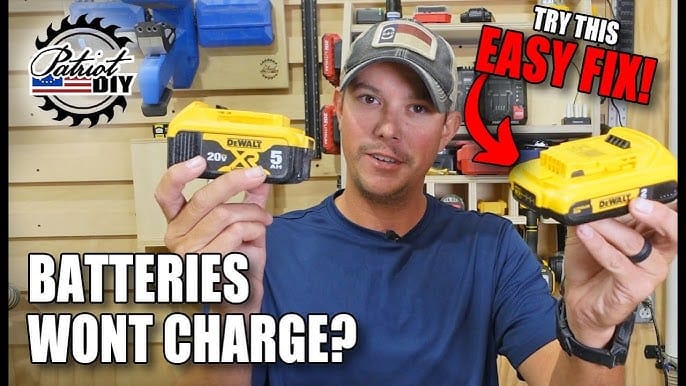
This method works for many brands: DeWalt, Bosch, Ryobi, and others. But always check your brand’s manual before trying advanced fixes.
Credit: www.youtube.com
When To Call A Professional
If you’re not comfortable with electrical repairs, or the battery shows signs of swelling or leaking, stop and get expert help. Some repairs, like replacing battery cells or protection circuits, need special tools and skills.
Where To Find More Help
Most power tool brands have support lines and FAQs. Check the manufacturer’s website for warranty information. Some retailers offer battery recycling or trade-in programs.
For deeper technical guides, see resources like the Wikipedia Battery Reconditioning page.
Frequently Asked Questions
Why Does My Power Tool Battery Charge For A Few Minutes, Then Stop?
This usually means the battery has lost capacity or has a cell imbalance. Try a deep discharge and recharge cycle for NiCd/NiMH. For lithium-ion, the protection circuit may be faulty or a cell is failing.
Can I Use A Different Brand Charger To Charge My Battery?
It’s not recommended. Chargers are designed for specific voltages and protection features. Using the wrong charger can damage your battery or create a safety risk.
Is It Safe To Open A Power Tool Battery Pack?
Opening a battery pack is risky. There is danger of electric shock, short circuits, or fire. Only attempt this if you have electronics experience and understand the risks. Never open a swollen or leaking battery.
How Long Should A Power Tool Battery Last?
Most batteries last between 2–5 years or 500–1,000 charge cycles. Proper care can extend life. If the battery holds less than half its original charge, consider replacing it.
What’s The Best Way To Store Batteries When Not In Use?
Store batteries in a cool, dry place at about 40–60% charge. Avoid leaving them in the tool or on the charger for long periods.
A power tool battery not charging can be a big headache, but in most cases, you can fix it yourself. With the right steps, you’ll get your tools running again and avoid costly replacements. Follow the tips above, stay safe, and your batteries will last longer and work better.