
Shopping for a battery charger might seem simple at first. But if you choose the wrong one, you could damage your batteries, waste money, or end up with a device that doesn’t meet your needs. Today, with so many types of batteries and chargers, it’s easy to get confused.
This guide will walk you through all the important points—so you buy the right charger, keep your devices safe, and make your investment last.
Why A Good Battery Charger Matters
Many people think any charger will work for any battery. That’s not true. Using the wrong charger can shorten your battery’s life or even cause leaks and safety risks. For example, a charger designed for NiMH batteries won’t work well for lithium-ion batteries. Also, fast-charging a battery that’s not designed for it can overheat and damage it.
A high-quality charger does more than just fill up your batteries. It helps extend their lifespan, saves you money on replacements, and even protects the environment by reducing battery waste.
Understanding Battery Types
Before you choose a charger, you need to know what batteries you’ll be charging. Here are the most common types:
- NiMH (Nickel Metal Hydride) – Found in rechargeable AA, AAA, C, D, and 9V batteries. Common in cameras, toys, and remotes.
- NiCd (Nickel Cadmium) – Older, sometimes used in power tools and emergency lights. These have a “memory effect” and need special care.
- Lithium-ion (Li-ion) – Used in phones, laptops, power banks, and some cameras.
- Lead-acid – Used in cars, motorcycles, and backup power systems.
- LiFePO4 (Lithium Iron Phosphate) – A special lithium battery found in solar systems and some electric vehicles.
You must match the charger to your battery type. For example, a lead-acid charger can seriously damage a lithium-ion battery. Chargers are rarely universal, so always check the label.
Key Features To Look For
Not all chargers are created equal. Here’s what you should look for to make a smart choice:
Battery Compatibility
Check which battery sizes and chemistries the charger supports. Some handle only AA/AAA, while others accept C, D, 9V, or special sizes like 18650 (common in flashlights and vape devices). Multi-chemistry chargers can handle NiMH, NiCd, and Li-ion, but always confirm before buying.
Charging Speed
Chargers usually list their speed in mA (milliamps) or A (amps). Faster isn’t always better. Very high speeds can overheat and harm batteries. For example, charging an AA NiMH battery at 2000mA (2A) is fast but can reduce its life. Many experts recommend a slower charge for better longevity.
Smart Features
Modern chargers may have automatic shutoff, trickle charge, or individual channel control. Automatic shutoff stops charging when the battery is full, which prevents overcharging. Trickle charge keeps batteries topped up but can sometimes reduce lifespan if not well designed.
Individual channel chargers let you charge one battery at a time, at its own rate. This is helpful if you mix old and new batteries.
Lcd Or Led Display
A display shows charging progress, errors, or battery health. A simple LED light is enough for some people, while others prefer a digital display with more details.
Safety Protections
Look for features like overcharge protection, short-circuit protection, and reverse polarity protection. These keep you and your batteries safe.
Portability And Power Options
Some chargers work only with wall outlets. Others can be powered by USB, car adapters, or solar panels. If you travel, choose a compact charger with flexible power options.
Comparing Battery Charger Types
Let’s compare the main charger types side-by-side:
| Charger Type | Supported Batteries | Best For | Typical Price |
|---|---|---|---|
| Simple/Basic Charger | AA, AAA (NiMH/NiCd) | Home use, low cost | $10-$20 |
| Smart Charger | AA, AAA, C, D, 9V, Li-ion | Enthusiasts, mixed batteries | $30-$80 |
| Universal Charger | NiMH, NiCd, Li-ion, LiFePO4 | Serious users, many devices | $50-$150 |
| Lead-Acid Charger | Car, motorcycle, SLA | Automotive, backup power | $25-$100 |
How To Choose The Right Charger For Your Needs
Picking a charger is easier if you ask yourself these questions:
- What battery type(s) do I use most?
- For AA/AAA, a simple smart charger is enough.
- For power tools or specialty batteries, get a specific charger.
- For car batteries, only buy a lead-acid charger.
- How many batteries do I charge at once?
- If you charge four or more, look for a charger with many slots.
- For occasional use, two slots may be enough.
- Do I need extra features?
- Frequent users may want an LCD display or fast charging.
- If you travel, choose USB power or compact size.
- Is safety important for my use case?
- Always choose chargers with safety certifications for home or office.
Common Mistakes When Buying Battery Chargers
Many buyers make these errors:
- Ignoring battery chemistry – Using the wrong charger type ruins batteries.
- Buying the cheapest model – Cheap chargers often lack safety features.
- Overlooking charging speed – Fast is not always better. Too fast can overheat.
- Not checking for certifications – Reputable brands test for safety and efficiency.
- Forgetting about power source compatibility – A charger that only works with 110V outlets isn’t useful for global travel.
A smart buyer checks all these before making a decision.
Credit: www.rotronicsbms.com
Additional Features Worth Considering
Some chargers go the extra mile with advanced features. These are not always essential, but can be very useful.
Usb Output
Certain chargers have a USB port to charge your phone or other devices. This adds value, especially during travel or power outages.
Battery Conditioning
Some smart chargers “refresh” old batteries by cycling them through charge and discharge. This can sometimes revive batteries that seem dead.
App Control
A few high-end chargers connect to your phone via Bluetooth. You can monitor charging progress, battery temperature, or receive alerts.
Replaceable Power Cord
Chargers with a removable cord are easier to fix if the cable breaks. Fixed cords are harder to repair.
Real-world Examples
- For everyday AA/AAA users: The Panasonic Eneloop charger is well-known for reliability, automatic shutoff, and gentle charging. It’s not the fastest, but your batteries last longer.
- For flashlight fans or vapers: Models like the Nitecore D4 handle many battery types and display charging progress for each slot.
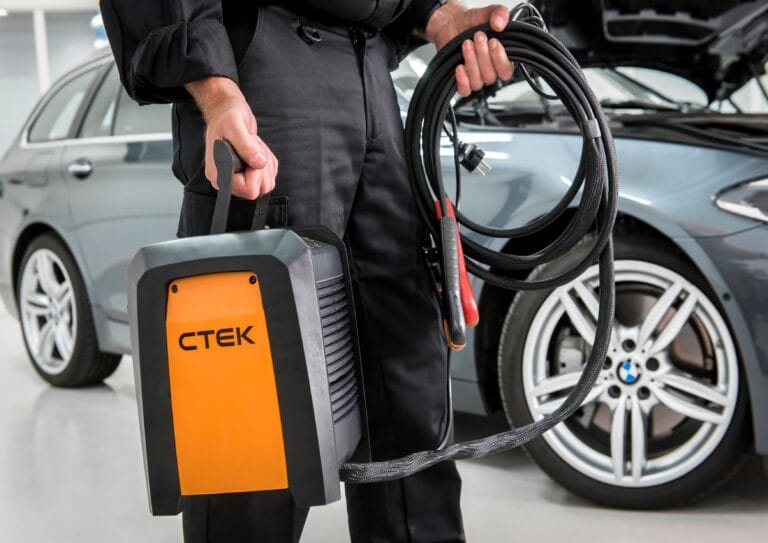
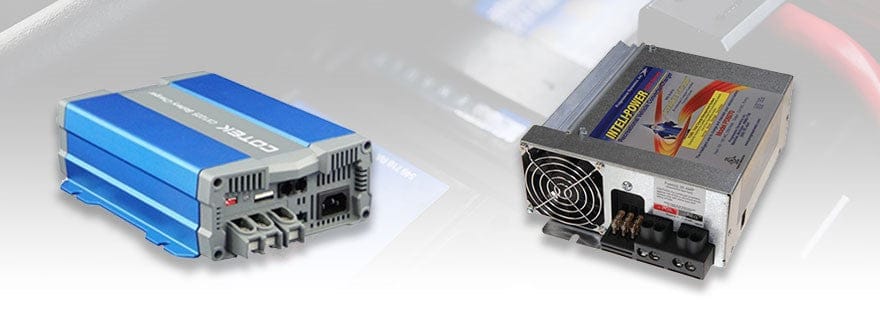
- For car owners: The NOCO Genius series is a top pick for lead-acid batteries, offering automatic detection and safety features.
Credit: www.boatandrvaccessories.com
What About Solar And Emergency Chargers?
Some chargers use solar power for emergencies or outdoor use. While these can be handy, charging is usually slow and depends on sunlight. They’re best as a backup, not your main charger.
If you’re off-grid or camping, consider a charger that accepts both USB and solar input. But expect slower charging times.
How To Read Battery Charger Specifications
When looking at charger specs, you’ll see numbers like:
- Input voltage (e.g., 100–240V AC, 12V DC)
- Output current (e.g., 500mA, 1000mA per slot)
- Supported battery sizes (e.g., AA, AAA, C, D, 18650)
- Supported chemistries (e.g., NiMH, NiCd, Li-ion)
Here’s a quick comparison of charger specs:
| Model | Battery Slots | Max Charge Current | Display | Supported Chemistries |
|---|---|---|---|---|
| Panasonic Eneloop | 4 | 750mA | LED | NiMH, NiCd |
| Nitecore D4 | 4 | 750mA/slot | LCD | NiMH, NiCd, Li-ion |
| NOCO Genius1 | 1 | 1A | LED | Lead-acid, Li-ion |
Pro tip: Always check the *minimum* and *maximum* battery size supported. Some chargers don’t fit C, D, or specialty batteries.
Safety Tips For Charging Batteries
Even the best charger can be dangerous if used wrong. Follow these tips:
- Never mix battery types in one charge cycle. Only charge similar batteries together.
- Don’t leave batteries charging overnight unless your charger has auto shutoff.
- Charge in a cool, dry place. Avoid humid or very hot areas.
- Replace damaged batteries. Swollen, leaking, or corroded batteries should never be charged.
- Unplug the charger when not in use. This saves energy and reduces fire risk.
When To Replace Your Charger
Chargers can last for years, but replace yours if:
- The power cord is damaged or fraying.
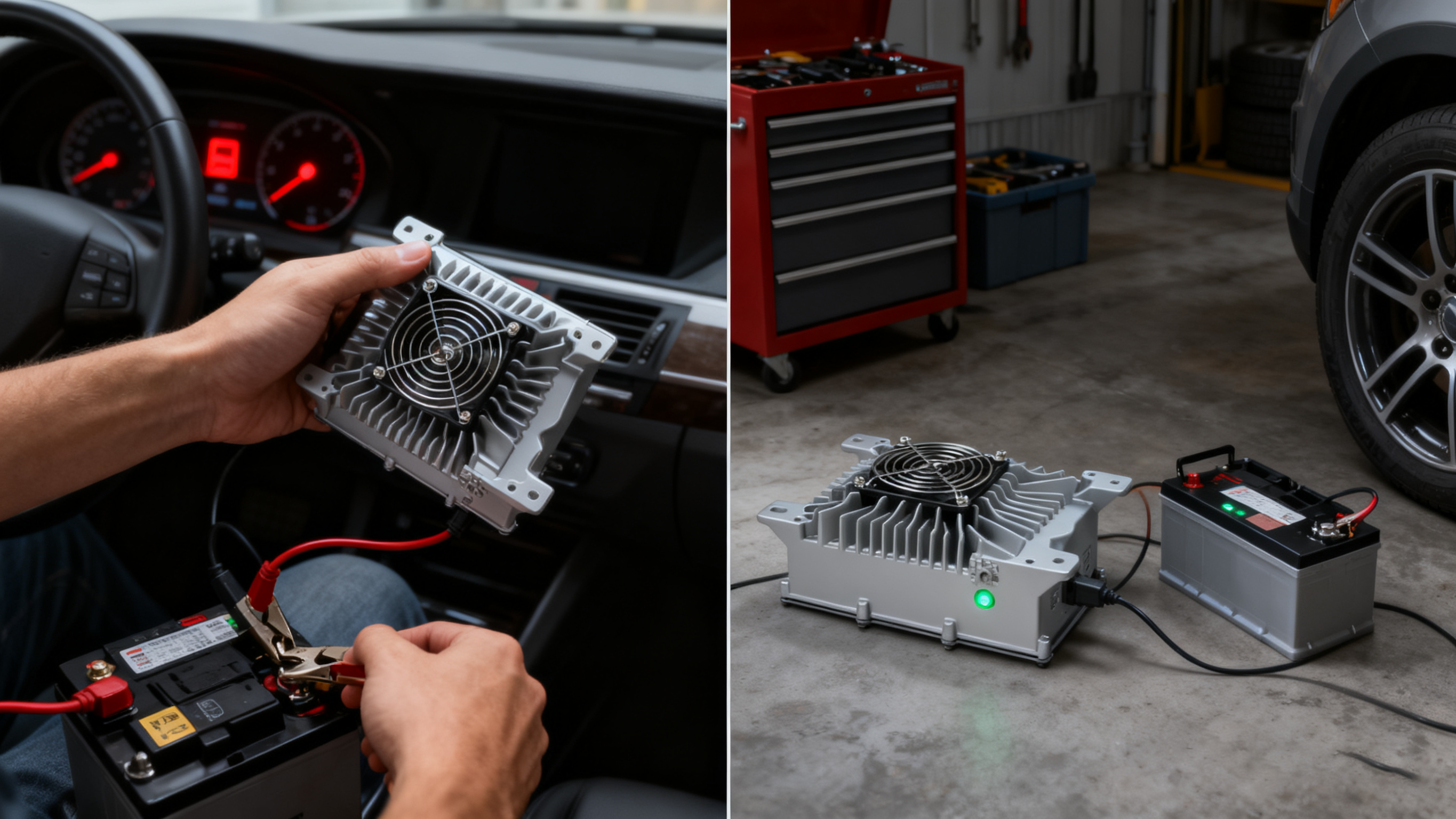
- The charger gets unusually hot.
- It doesn’t recognize batteries or charges unevenly.
- Newer batteries take much longer to charge than before.
A faulty charger can damage your batteries or even cause a fire.
Credit: onboard-charger.com
Where To Buy Battery Chargers
Buy from trusted electronics stores or reputable online retailers. Avoid unknown brands, especially if they’re much cheaper. For reviews and more details, you can check resources like Wikipedia.
Frequently Asked Questions
How Do I Know If My Charger Is Compatible With My Batteries?
Check the charger’s packaging or manual for a list of supported battery chemistries (like NiMH, NiCd, Li-ion) and sizes (AA, AAA, etc. ). Never use a charger with batteries it doesn’t list.
Is It Safe To Leave Batteries In The Charger After They’re Full?
Most modern smart chargers have auto shutoff and are safe for a few extra hours, but it’s best to remove batteries soon after charging. Overcharging can shorten battery life over time.
Can I Charge Different Battery Types At The Same Time?
Only if your charger has independent channels and supports the chemistries you’re mixing. Otherwise, charge one type at a time to avoid damage.
Why Do Some Chargers Cost Much More Than Others?
Higher-priced chargers usually have better safety features, smart charging logic, and support for more battery types. Cheaper chargers may lack protections or charge unevenly.
What Does “trickle Charge” Mean?
Trickle charge is a low, steady current supplied to full batteries to keep them topped up. Some chargers do this automatically, but it can slightly reduce battery life if used all the time.
Choosing the right battery charger can save you money, protect your devices, and even help the environment. Take a few minutes to consider your needs, read product details, and invest in a quality charger—you’ll see the benefits every time you power up.
